Maximizing Space: Organizing Small Offices for Efficiency and Calm
When working in a small office, every inch counts. I’ve learned that organizing small offices well can transform a cramped, cluttered space into a calm, productive environment. It’s not just about tidying up; it’s about creating a system that supports your work and reduces stress. If you’re ready to make the most of your limited space, I’m here to share practical tips and ideas that really work.
Why Organizing Small Offices Matters
Small offices can feel overwhelming when clutter builds up. But organizing small offices is more than just aesthetics. It directly impacts how you work and feel throughout the day. A well-organized space helps you:
Find what you need quickly
Focus better without distractions
Feel more relaxed and in control
Use your space efficiently without feeling cramped
I’ve found that even small changes can make a big difference. For example, switching to vertical storage or using multi-purpose furniture can free up valuable floor space. The key is to think creatively and stay consistent with your system.
Smart Storage Solutions for Small Spaces
Storage is often the biggest challenge in a small office. Here are some of my favorite storage ideas that maximize space without sacrificing style or accessibility:
Use Vertical Space
Walls are your best friends in a small office. Shelves, pegboards, and wall-mounted organizers keep supplies off your desk and floor. For instance, installing floating shelves above your desk can hold books, files, or decorative items without crowding your workspace.
Multi-Functional Furniture
Choose desks and chairs that offer built-in storage. A desk with drawers or a filing cabinet underneath keeps essentials close but out of sight. Foldable or stackable chairs can be tucked away when not in use, freeing up room for movement.
Clear Containers and Labels
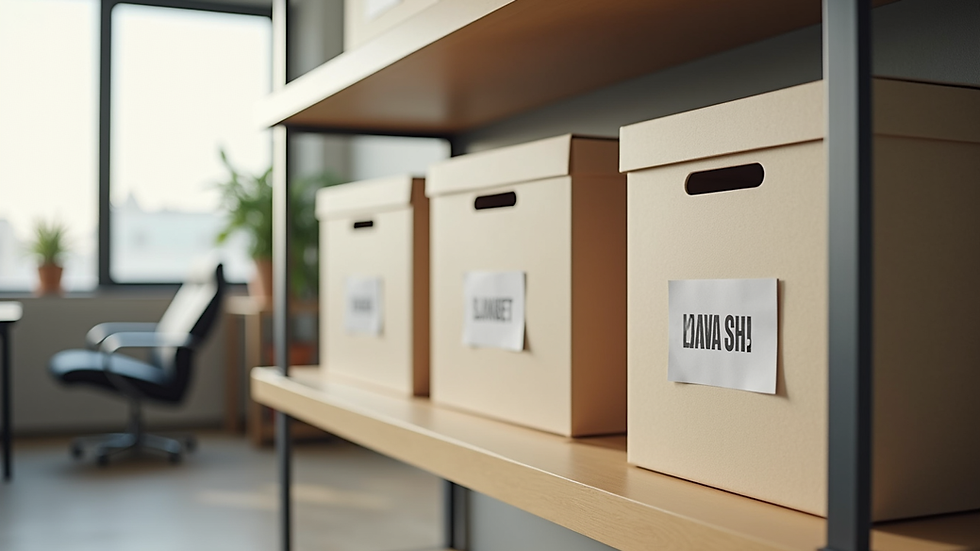
Transparent bins and labeled boxes make it easy to find what you need without digging through piles. I recommend using uniform containers to create a neat, cohesive look. Label everything clearly to save time and avoid frustration.
Creating Zones for Better Workflow
Dividing your small office into zones can improve efficiency and reduce clutter. Even in a tiny space, you can create distinct areas for different tasks:
Work Zone: Your main desk area where you focus on daily tasks.
Storage Zone: Shelves, filing cabinets, or closets for supplies and documents.
Inspiration Zone: A small space for brainstorming, with a whiteboard or bulletin board.
By defining these zones, you mentally separate tasks and keep related items together. This approach helps prevent clutter from spreading and keeps your workflow smooth.
Incorporating Technology to Save Space
Technology can be a great ally in small office organization. Here are some ways to use tech to your advantage:
Go Paperless: Scan documents and store them digitally to reduce paper clutter.
Wireless Devices: Use wireless keyboards, mice, and printers to minimize cords.
Compact Equipment: Choose smaller, multi-functional devices like all-in-one printers.
These steps not only save physical space but also streamline your work process. I’ve found that reducing cables and paper piles instantly makes the office feel more open and less chaotic.

Daily Habits to Maintain an Organized Office
Organization is not a one-time project; it’s a habit. Here are some simple daily routines that help keep your small office tidy and efficient:
End-of-Day Reset: Spend 5-10 minutes clearing your desk and putting things back in their place.
Regular Decluttering: Schedule a weekly or monthly review to remove unnecessary items.
Inbox Zero: Keep your email and physical inbox organized by processing items promptly.
Use a Planner: Track tasks and deadlines to avoid paper piles and sticky notes everywhere.
By making these habits part of your routine, you’ll maintain the benefits of your initial organization efforts and enjoy a calmer workspace every day.
Embracing small office organization solutions for a Neatly Done Life
Finding the right strategies for your small office can feel overwhelming, but it doesn’t have to be. I encourage you to explore different ideas and adapt them to your unique space and needs. Remember, the goal is to create a workspace that supports your productivity and peace of mind.
If you want more inspiration and detailed guides, check out small office organization solutions for expert tips and resources. With the right approach, your small office can become a place where you thrive every day.
Your Next Steps Toward a More Organized Office
Now that you have a roadmap, it’s time to take action. Start small by choosing one area to organize this week. Maybe it’s clearing your desk or installing a shelf. Celebrate your progress and build momentum from there.
Remember, organizing small offices is a journey, not a race. With patience and consistency, you’ll create a space that feels spacious, calm, and ready for success. Here’s to your neatly done life!


Comments